Moderation API
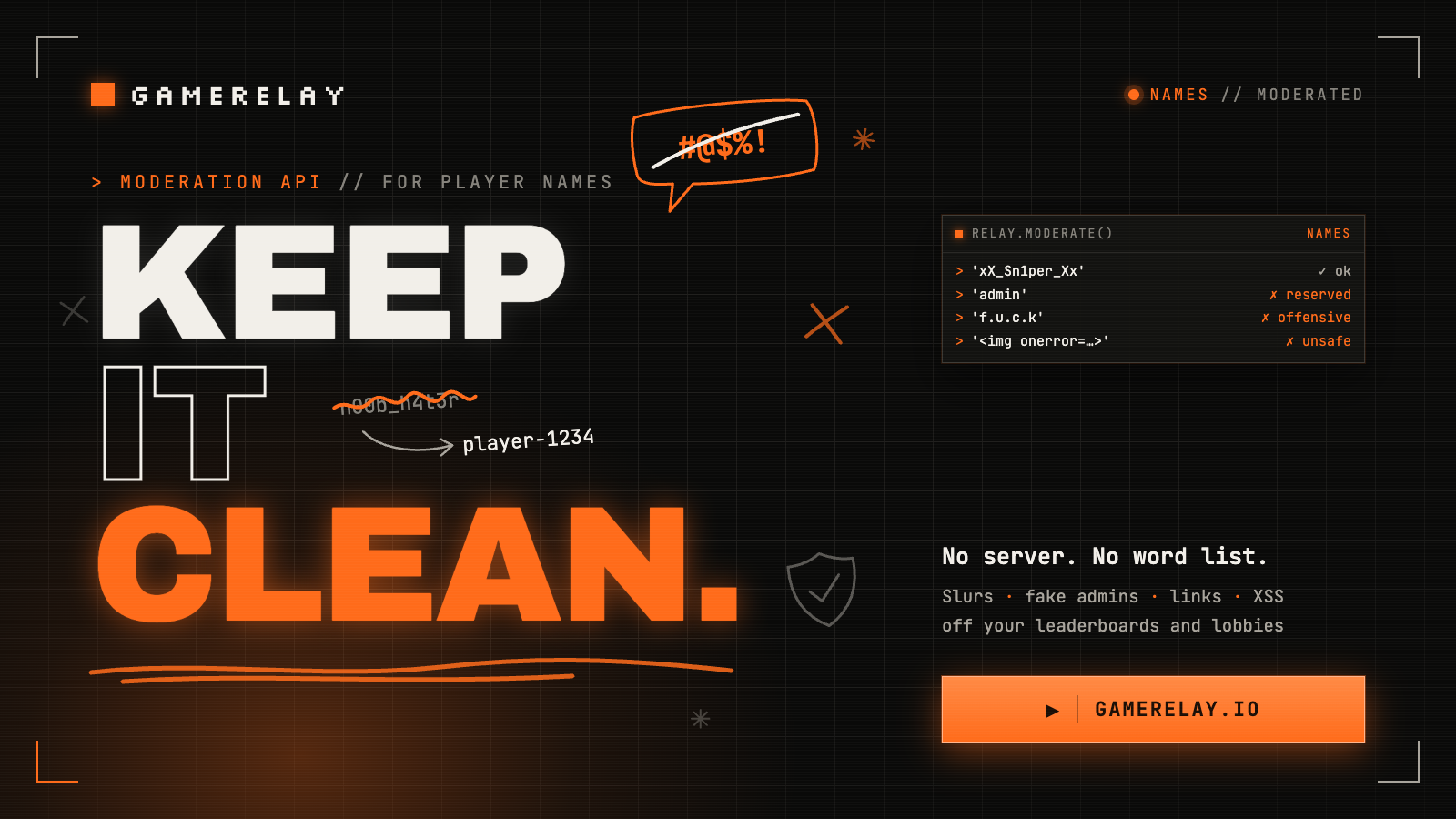
Player names are text strangers write for other strangers to read. Turn on name moderation and a slur never reaches your leaderboard, your lobby list or another player's screen. Add one call when you want to tell the player why. No server of your own, no word list to keep up.
Every player needs a name...
A leaderboard with a slur on it looks broken, and you can't fix that in the game: a check in the browser is the player's to delete. The name has to be checked by the server that hands it to everyone else. GameRelay already does that hand-over (in the player's token, in rooms, on leaderboards), so it's where moderation lives. It comes in layers, and each one is optional:
| You do | You get | Plan |
|---|---|---|
| Nothing | Names can’t inject HTML into other players’ pages | Every plan |
| Turn on “Name moderation” | Bad names show as player-1234 everywhere others see them | Basic and up |
| Call relay.moderate() | Tell the player before they play | Basic and up |
| Block and allow your own words | A rival’s name blocked, a surname we got wrong allowed | Basic and up |
No HTML in names, on every plan
A player named <img src=x onerror=…> would run code in every game that puts names on the page with innerHTML, which is the quickest way to build a scoreboard. So on every plan, free included, player names and room names lose <, >, " and `. Apostrophes stay (O'Brien is a name). Chat keeps <3 and ->, so render chat as text.
// Safe: the name is text, whatever it holds.
row.querySelector('.name').textContent = entry.name;

// Building HTML strings? Escape what players typed.
list.innerHTML = entries.map((e) => `<li>${GameRelay.escapeHtml(e.name)}</li>`).join(''); That covers the common case; it isn't a promise. Text put into a <script>, a URL or a style is still yours to handle.
Getting started
1. Turn it on
In the dashboard, open your game and switch on Name moderation. That's the whole setup. From then on, a name that fails the check is swapped for player-1234 (the last four characters of the player's id): in the player's token, in rooms and parties, and on leaderboards. Your code doesn't change:
const relay = await GameRelay.connect({ publicKey: 'gr_pub_…', playerName: nameInput.value });

await relay.leaderboard.submit('fastest-lap', 62.5, { order: 'asc' });
const { entries } = await relay.leaderboard.top('fastest-lap');
// A player who typed a slur is "player-1234" here, for everyone.Leaderboards are checked as they're read, so scores submitted before you turned it on are covered too. Turn it off and the names come back as typed: nothing is rewritten.
2. Check a name before the game uses it
Swapping quietly keeps everyone else safe, but the player still thinks they're "Ada". So check a name yourself. At its simplest it's one call with one argument; options are optional:
const result = await relay.moderate('xX_Sn1per_Xx');

if (result.ok) {
  console.log(result.value); // "xX_Sn1per_Xx": safe to show
} else {
  console.log(result.error.message); // e.g. "Invalid name: offensive language"
}In a game, that's the check behind your name field's Save button:
saveButton.onclick = async () => {
  const result = await relay.moderate(nameInput.value);
  if (!result.ok) {
    errorLabel.textContent = result.error.message; // "Invalid name: offensive language"
    return;
  }
  await relay.setName(result.value); // renames you live: your room, your party, your next scores
  showMenu();
}; A refused name is an answer, not an accident, so relay.moderate() doesn't throw for one: it resolves with a result, the way Zod's safeParse does. Prefer exceptions? Pass throwOnError: true:
import { GameRelayModerationError } from '@gamerelay/sdk';

try {
  const name = await relay.moderate(nameInput.value, { throwOnError: true });
  await relay.setName(name);
} catch (err) {
  if (err instanceof GameRelayModerationError) errorLabel.textContent = err.message;
  else throw err; // the network, your plan, a rate limit…
}It works whether or not the dashboard switch is on, so you can check names in your own UI and leave the rest alone. Over the open connection it's one quick round trip, fast enough to run on save or a short pause after typing. Many games ask for a name before they connect; the same check works over HTTP with your public key:
// A name screen before the game connects: the same check over HTTP.
const result = await GameRelay.moderate(nameInput.value, { publicKey: 'gr_pub_…' });Options can make the check stricter for one field, never looser: they come from the browser, so a player could change them. Your game's real rules are set in the dashboard.
// Plates are 7 letters and digits: stricter than the game's rules, never looser.
const result = await relay.moderate(plate, { maxLength: 7, charset: 'alnum' });3. Renames, and names swapped at connect
relay.setName(text) renames a connected player everywhere at once, and keeps the name through reconnects. With Name moderation on, a name that fails is refused with a GameRelayModerationError. If the server swapped a saved name when the player connected (moderation was turned on since, or you added a word), relay.nameRejected says why and relay.playerName is what others see:
const relay = await GameRelay.connect({ publicKey, playerName: savedName });
if (relay.nameRejected) {
  toast(`That name isn't allowed: you're ${relay.playerName} for now`);
}4. Fine grained control
Our lists are a starting point. Under Name moderation in the dashboard, each game gets two lists of its own, one term per line:
- Blocked
- A rival studio, a streamer who asked not to be impersonated, the exact name of a player you've banned. Matched the way ours are, through spacing, leetspeak and lookalike letters, so
R1v4lis caught byrival. Each needs at least 3 letters, so a stray1can't block everyone. - Allowed
- Words our lists get wrong for your players, like a surname or a word in their language. An allowed word only lifts our built-in word lists, as a whole word. It can't undo your own blocked terms, phrases like "kill yourself", links, or the HTML safety above.
Both lists stay on the server. They're never sent to players' browsers, where anyone could read them. A change applies to new names, leaderboards (old entries included) and players as they next connect.
SDK reference
relay.moderate(text, options?)
| Option | Type | Description |
|---|---|---|
type | 'name' | What the text is. Defaults to 'name', the only one for now; room names and chat come later. |
maxLength | number | A shorter limit for this field (names are at most 24 characters). |
minLength | number | A longer minimum for this field. |
charset | 'any' | 'latin' | 'alnum' | Fewer characters for this field. |
throwOnError | boolean | Resolve with the text itself, and reject with the GameRelayModerationError instead of returning it. |
The result
{ ok: true, value }valueis the cleaned text: trimmed, with invisible characters taken out. Use it rather than what was typed.{ ok: false, error }erroris aGameRelayModerationError, aGameRelayErrorwithcode: 'moderated', andreason(below),type,text(what was checked) andmessage(a line in English, fine to show a player).
Reasons
| error.reason | When |
|---|---|
offensive | Slurs, profanity, sexual or violent terms |
reserved | Posing as staff: admin, moderator, official, GameRelay |
link | A web address or an invite link |
unsafe | HTML or script: tags, quoted attributes, javascript: links (XSS) |
blocked | One of your own blocked terms |
charset | Characters the rules don’t allow |
too_short | Under the minimum length |
too_long | Over the maximum length |
empty | Nothing left once invisible characters are out |
Try it
Run a name through the real API, on our own game: the answer is exactly what relay.moderate() and POST /v1/moderate return.
Type a name and test it: try a slur in leetspeak, “Admin”, or some HTML.
Other errors
Problems that aren't about the text reject as a plain GameRelayError, even without throwOnError, so they never end up on screen as if the name were at fault: plan_required (your plan doesn't include moderation), rate_limited, disconnected.
Names on the relay
| Member | Description |
|---|---|
relay.moderate(text, options?) | Check a text. Resolves with { ok: true, value } or { ok: false, error }. |
GameRelay.moderate(text, { publicKey, …options }) | The same check over HTTP, before the game connects (a name screen). |
relay.setName(text) | Rename yourself live, on any plan: your room hears player_renamed, your party gets an update, and your next scores carry the new name. Resolves with the name others see; a failing name rejects with a GameRelayModerationError while Name moderation is on. |
relay.playerName | Your name as other players see it. |
relay.nameRejected | Why the server swapped your name when you connected (a reason above), or null. |
GameRelay.escapeHtml(text) | Escape text a player typed before putting it into an HTML string. |
room.on('player_renamed', (playerId, name) => {}) | Someone in the room renamed themselves, you included; room.players has the new name. |
REST API
Everything the SDK does is an HTTP call underneath, so a server, another engine (Unity, Godot) or a script can use it. Base URL https://gamerelay.io; bodies are JSON, and answers have the SDK's result shape.
/v1/moderatepublic key · paid plansChecks one text from a browser. Your site has to be in the game's allowed origins, and each network address gets 30 checks a minute (players on one network share them).
publicKey required · text required · type default name · maxLength · minLength · charset
curl -X POST https://gamerelay.io/v1/moderate \
  -H 'content-type: application/json' \
-d '{ "publicKey": "gr_pub_…", "text": "xX_Sn1per_Xx" }'{ "ok": true, "value": "xX_Sn1per_Xx" }
{ "ok": false, "error": { "code": "moderated", "reason": "offensive", "message": "Invalid name: offensive language" } } Fails with 403 plan_required or origin_not_allowed, 429 rate_limited, or 401 for an unknown key.
/v1/moderatesecret key · paid plansChecks up to 100 texts at once from your own server, answered in the same order.
authorization: Bearer gr_sk_… · texts (1–100) or text · type and the options as above
curl -X POST https://gamerelay.io/v1/moderate \
  -H "authorization: Bearer $GAMERELAY_SECRET_KEY" \
  -H 'content-type: application/json' \
-d '{ "texts": ["Ada", "admin", "f.u.c.k"] }'{ "results": [
{ "ok": true, "value": "Ada" },
{ "ok": false, "error": { "code": "moderated", "reason": "reserved", "message": "Invalid name: kept for the game" } },
{ "ok": false, "error": { "code": "moderated", "reason": "offensive", "message": "Invalid name: offensive language" } }
] }How the check works
It's a word filter that knows the usual dodges, not a guess. Before matching, it undoes leetspeak (sh1t), lookalike letters from other alphabets (a Cyrillic с in place of a c), accents, fullwidth and small-capital letters, spelled-out letters (f.u.c.k), stretched letters (fuuuuck), and invisible or right-to-left characters.
Most terms only count inside one word, never across two, so "Scott Watson", "8BitChamp" and "Grape" pass. Short words that hide inside innocent ones (think "class" or "peacock") only count as a whole word. We test it against a list of real names and gamer tags that must pass, and keep adding to it. If yours trips it, tell us, or allow it in your own list.
It won't catch every clever spelling or every language: English comes first. That's what the next layers are for.
What's coming
- Your game's rules in the dashboard: allowed characters, lengths, and whether a bad name is swapped or refused.
- Feedback as the player types: your game's non-secret rules (characters, lengths) sent to the game, so it can show "letters only" before anything is sent.
- Ask your own server: point moderation at your endpoint and your service decides; we enforce and cache the answer.
- AI checks, with your own instructions ("this is a kids' game"), for the spellings and slang a word list misses.
- Room names, reports and chat, through the same rules.
The rest of the platform is in the docs, and all of it is in llms.txt for your coding agent.